
Digital signage for clubs and venues
PixelSuite puts every screen in your club under one roof: promotions, member draws and raffles, scheduled from anywhere and kept current by a local team.
PixelSuite, built in-houseGold Coast to the Northern RiversRent-to-try on displays
1 Why screens
Printed posters can’t keep up with a club
A club changes what it’s promoting every week: tonight’s entertainment, the bistro special, the weekend raffle, the next big function. A printed poster is out of date the moment the event finishes, and someone has to remember to take it down. Digital signage earns its keep by being current. You can change a screen in minutes, and changing it costs nothing.
PixelSuite is our own cloud signage software, built in-house for venues rather than repackaged. One platform runs every screen, from the bar to the gaming floor to the front entrance, and you can update it from anywhere.
- Central scheduling across unlimited screens
- Live, on-brand promos in place of printed posters
- An end date on every item, so nothing goes stale
- Built-in raffle & jackpot tools your sub-clubs can run themselves
2 Room by room
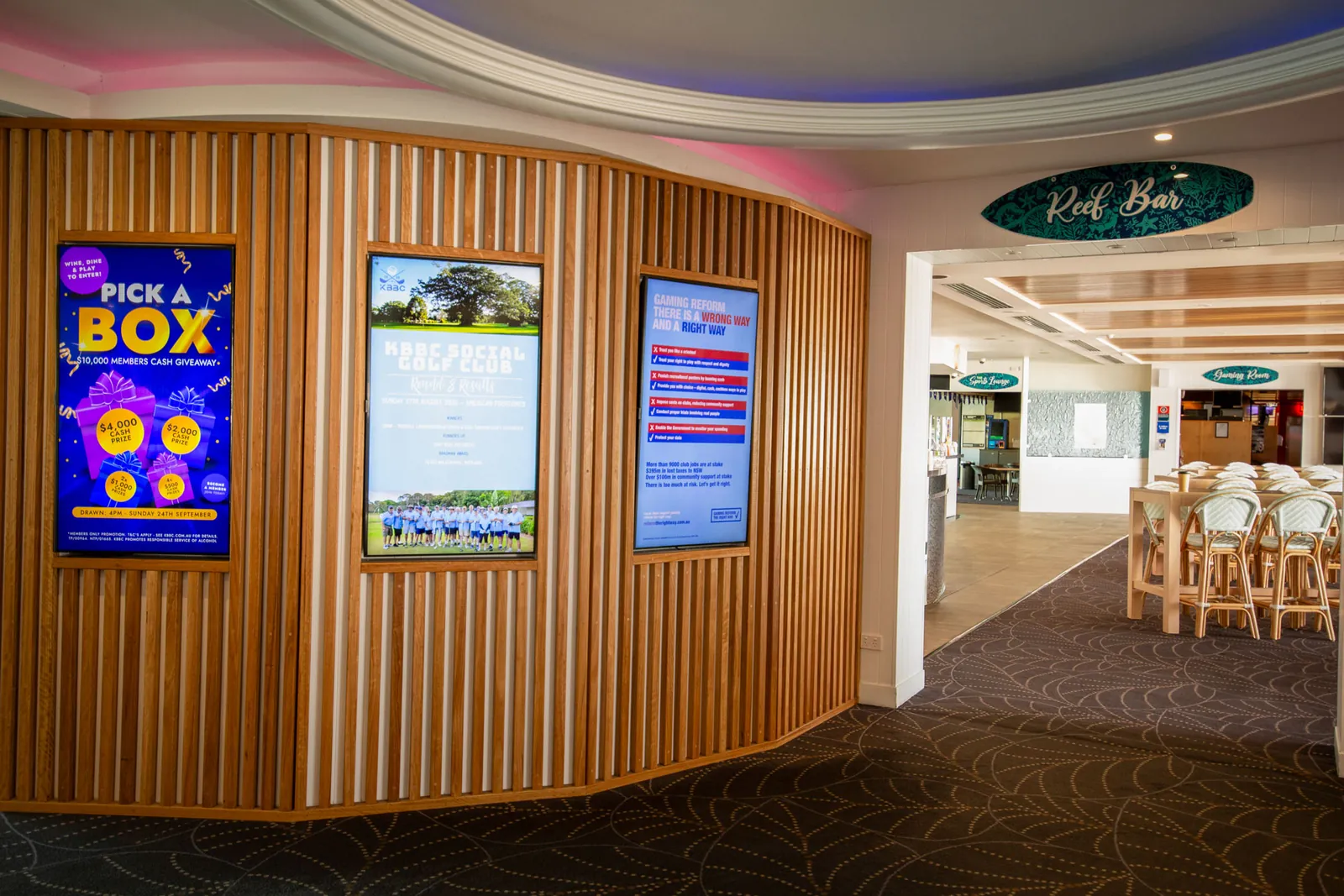
A screen for every room, with the right message on each
The foyer and the sports bar shouldn’t be showing identical content. Each room has a different audience at a different moment, so PixelSuite groups your screens by room and each group gets the messages that suit the people standing in front of it.




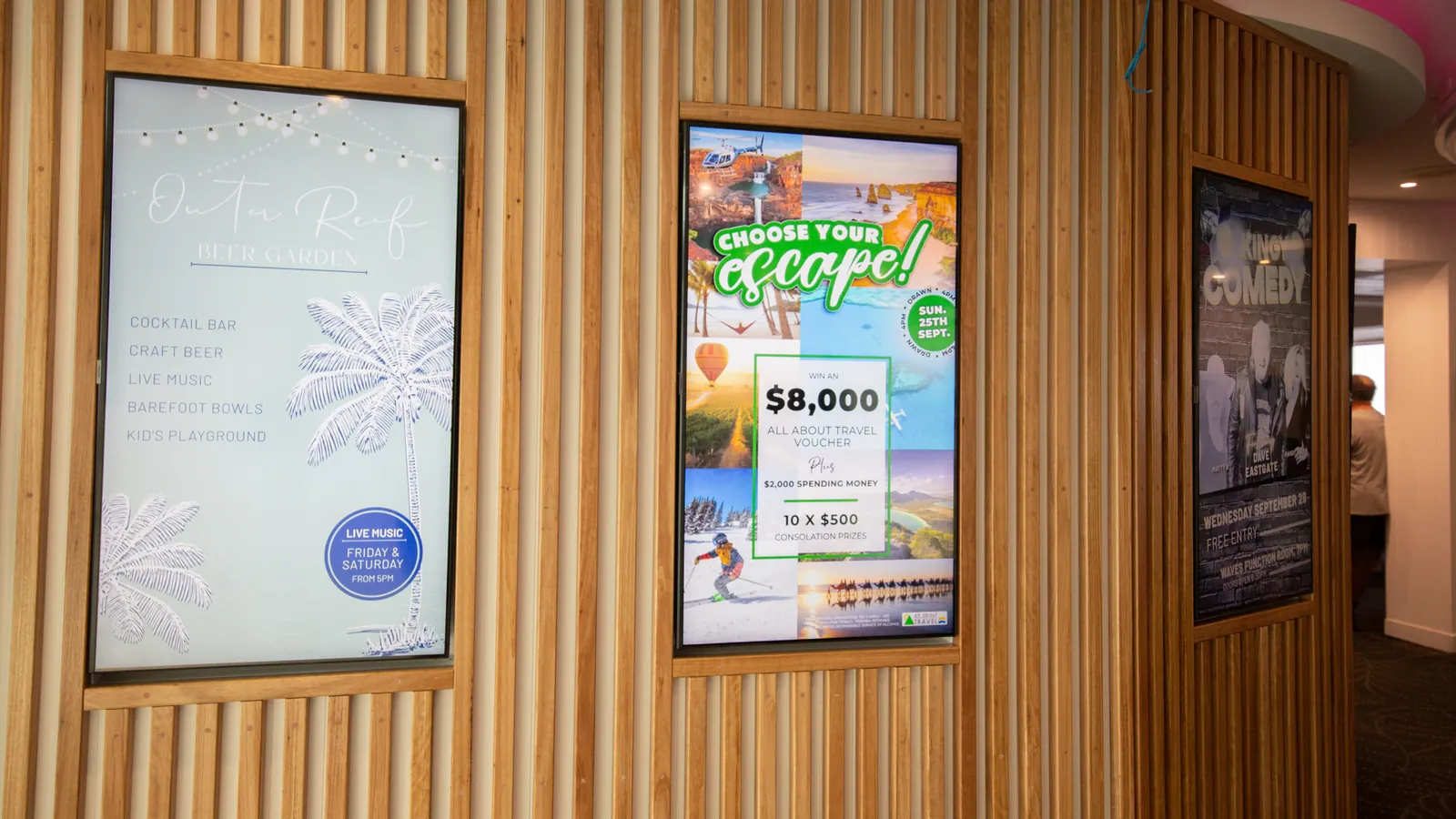
Screen artwork by our marketing team for East Lismore Bowling Club and Ballina Golf & Sports Club, designed portrait for portrait screens. A screen is read at six metres while walking, so it gets its own artwork rather than a reused A4 poster.
Screens are promotional material. The gaming advertising, responsible-service and trade-promotion rules your club already follows apply to them too, so gaming-related content goes past your compliance manager before it’s designed, not after it’s live.
3 Draws, raffles & jackpots
Member draws and raffles, run on the screens
Draws and raffles are where a club’s screens get the most attention, and where doing it by hand costs the most admin. PixelSuite has a built-in raffle generator, so every draw runs on the same screens as everything else, with the same look and the same process every week.
At Pottsville Beach Sports Club, the sub-clubs were each running their weekly raffles by hand, on different systems. We rolled out PixelSuite and set each sub-club up to run its own draws on the club’s screens.
- Built-in raffle generator for member draws
- Sub-clubs scoped to their own draws and content
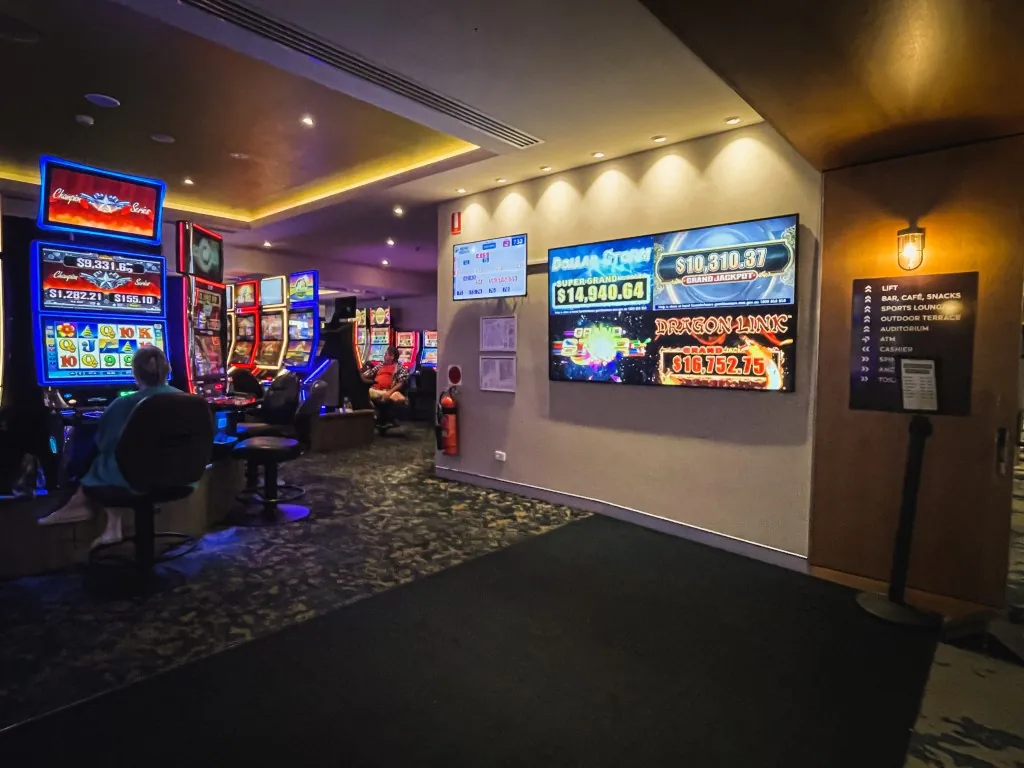
- Jackpots and live data fed in, not retyped by hand (depending on your setup)
- Quad Display for a jackpot or promo wall across a bank of screens
4 Who runs it
Run it yourself, or hand it to us
Some venues like to keep the screens in-house. Others would rather send us what’s coming up and never think about it. PixelSuite works either way, and you can change your mind later.
Your team runs it
Two or three people with their own logins: an owner, a backup for leave, and perhaps a duty manager who can pull something down fast. The PixelSuite Help Centre covers the click-by-click.
Who should have accessWe run it for you
Send us what’s coming up, or share your yearly calendar, and our marketing team designs, schedules and retires the content. You keep visibility and can ask for a change at any time.
Talk to usA mix of both
Your team handles the weekly specials and we produce the artwork for the big events, in the right shape for each screen. Help with your screens can sit inside the Flex Retainer, the same weekly plan that covers your IT and marketing.
See retainer rates5 Screens & players
Screens and players built for a commercial floor
Every screen is driven by a small PixelSuite player, a compact computer mounted behind or near the display. Tell us what’s already on your walls and we’ll put together a plan that fits. Where new hardware makes sense, our freestanding signage displays pair with PixelSuite and have the player built in.
- Industrial-grade 4K panels for commercial environments
- 43", 50", 55" & 65", touch optional
- Interactive touch kiosks for an info hub or digital menu
- Optional branding, full wraps and castor wheels
Rent-to-try available: trial a display for up to 3 months, with the rental credited toward purchase.
TVs and AV behind the bar are a different job. BerryBox, our IP control system, switches sources and channels across the whole venue from one simple interface, so the big game reaches every screen in one tap.
How it works
From printed posters to live screens
One local team handles the software, the hardware and the artwork, so there’s nobody else to chase.
Tell us about your venue
Your screens, your rooms, your gaming floor and what you’re trying to promote. We’ll put together a plan that fits.
We set it up
Players paired, screens grouped by room and logins for the people who’ll run it. Installs are planned around your trading hours.
Keep it current
Your team schedules with end dates, or our marketing team runs the screens for you, with local support across QLD & NSW behind it.
See it in action
Real venues, and the guides we give their staff
Every sub-club running its own raffle, on one system
“So simple to use that all our sub-clubs love running their weekly raffles.” Ryan Clarke, General Manager.
Read the case studySharing the community work a club quietly does
Videography and PR support, plus commemorative screen content, including the club’s ANZAC Day schedule across every display.
Read the case studyKeeping your screens current in PixelSuite
End dates on everything, the fortnightly screen walk, and what actually works on a screen in a busy room.
Read the guideHow to restart your PixelSuite signage player
Screen blank or frozen? Two minutes and any staff member can fix it, as long as they restart the player and not the television.
Read the guideHow to brief design work so it comes back right first time
What a brief needs, a template you can copy, and how to ask for screen and print artwork in one go.
Read the guideThe venue year: what to plan, and how far ahead
A month-by-month calendar for clubs and pubs, with honest lead times for artwork, print, photo and video.
Read the guide6 Questions
What clubs ask us about digital signage
For click-by-click product help, the PixelSuite Help Centre is the authority. For everything else, ring us on 1300 755 242 or email support@cyberry.com.au.
What is PixelSuite?
PixelSuite is our own cloud-based digital signage software, built in-house for clubs and venues. It schedules promotions, runs member draws and raffles, and updates every screen in the venue from one place, from anywhere. You sign in at pixelsuite.com.au.
Do we need new screens?
Not necessarily. Each screen is driven by a small PixelSuite player mounted behind or near the display, so tell us what’s already on your walls and we’ll put together a plan that fits. Where new hardware makes sense, our freestanding displays come in 43", 50", 55" and 65", touch optional, and you can rent to try for up to 3 months with the rental credited toward purchase.
Can our sub-clubs run their own content?
Usually, yes. Access can be scoped so bowls, golf or fishing can only touch their own screens or content, and the built-in raffle generator lets each sub-club run its own draws. That’s how Pottsville Beach Sports Club’s sub-clubs run their weekly raffles.
Can you run our screens for us?
Yes, and plenty of venues have us manage them entirely. Send us what’s coming up, or share your yearly calendar, and our marketing team will design, schedule and retire the content. You keep visibility and can ask for a change at any time.
Can we sell advertising on our screens?
Plenty of clubs do, and it can pay for the whole system. Work out first what you’ll charge, what you’ll accept, how long a slot runs and who chases the artwork. We’ll help set it up properly, including making sure lapsed advertisers come down automatically.
Do the screens need to be turned off at night?
Generally no. They’re commercial displays and are usually scheduled to suit your trading hours. If a screen is bright in a residential sightline, or you want it off overnight, tell us and we’ll set that up.
What if a screen goes blank?
Check the television is on the right input, then restart the PixelSuite player behind it. Our restart guide walks any staff member through it in two minutes. If every screen in the venue is out at once, don’t work through them one by one: ring us on 1300 755 242.
Still running printed posters?
Let’s get your screens working for you.
Clubs, pubs and venues from the Gold Coast to the Northern Rivers. Tell us about your screens and what you want to promote, and we’ll show you PixelSuite in action.